
A manager calls a lead from the deal card
Before the manager dials the number by hand through a separate phone app.
After the call starts with one click straight from the card, and the system connects both numbers itself.
 IP telephonyUA
IP telephony with ready CRM connections and call alerts at the exact moment you need them
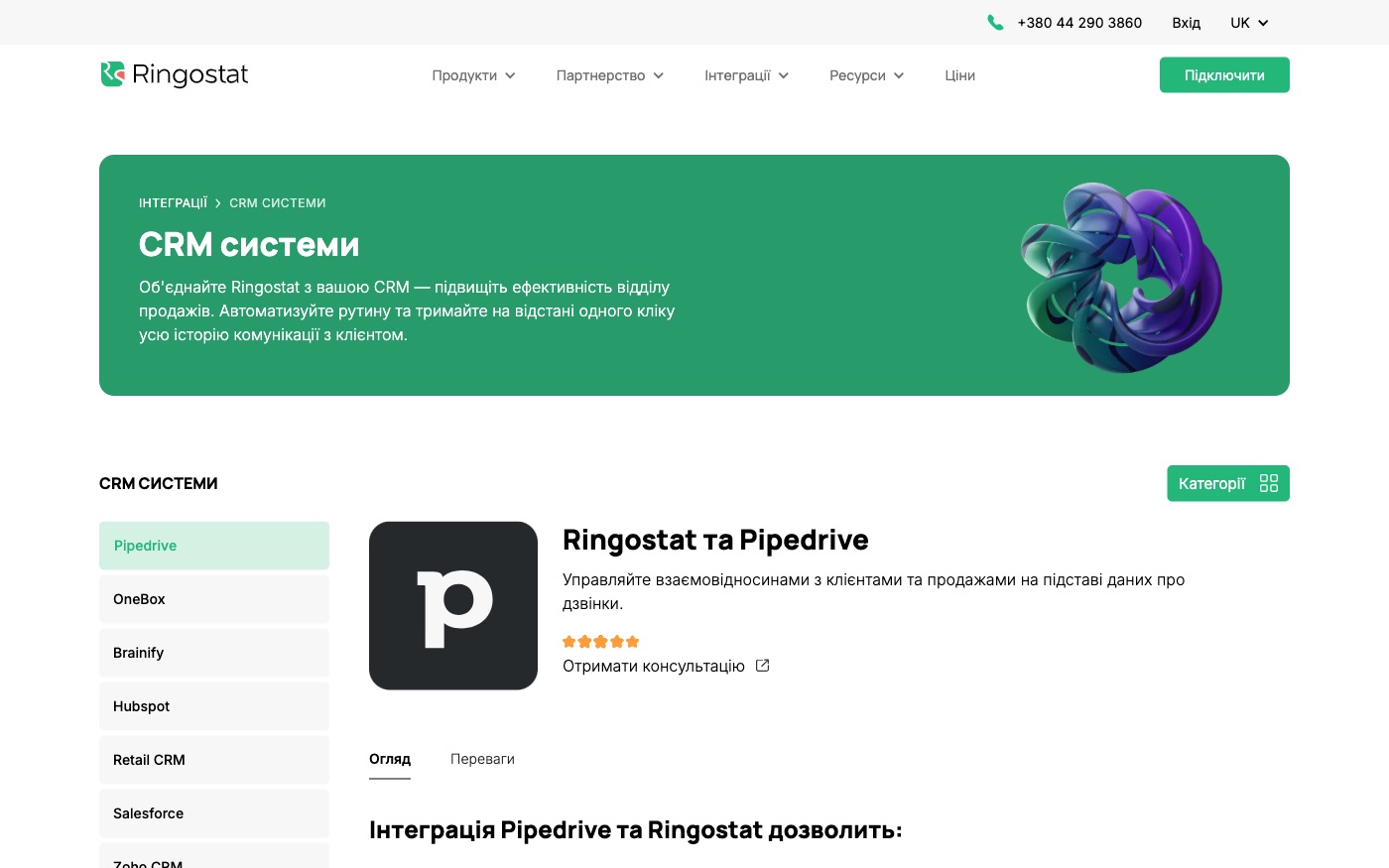
Ringostat is the telephony layer behind the call: it dials with one click straight from the client's card, records the conversation, and notifies about a call event at the right moment — before the call, after it, or the instant it's answered. We connect it to the CRM you already run wherever a ready link exists, and build the missing bridge through the open interface where it doesn't.
Before the manager dials the number by hand through a separate phone app.
After the call starts with one click straight from the card, and the system connects both numbers itself.
Before the recording has to be found somewhere in the phone app, which not everyone can access.
After the recording opens straight from the call log inside the CRM the manager already uses.
Before nobody can say for sure which channel brought the call.
After the call event lands in Google Analytics 4 tied to the exact source.
Before telephony and CRM stay two separate worlds someone has to bridge by hand.
After if it's Pipedrive, HubSpot, Salesforce, Zoho CRM, KeyCRM or SalesDrive, the ready connection just gets switched on.
Before data on every call is collected by hand from different places.
After statistics with filters by date and number export in a single pull.
For those who want to check: each point links to the official documentation page it comes from.
Access to the Ringostat API goes through the address api.ringostat.net, using a unique Auth-key from Settings → Integrations → Ringostat API.
Source: help.ringostat.com ↗ checked 2026-09-25Click-to-call is a dedicated API method — a request to /callback/outward_call starts a call between two numbers, for example from a client's card in the CRM.
Source: help.ringostat.com ↗ checked 2026-09-25Call statistics and recordings can be exported through the /calls/list method in JSON or CSV format; the export fields include a separate 'recording' field with a link to the recording.
Source: help.ringostat.com ↗ checked 2026-09-25A webhook about an incoming call can be sent at 5 different moments: before the call, after the call, after the rating menu, when the call is answered, or when it's forwarded to another employee.
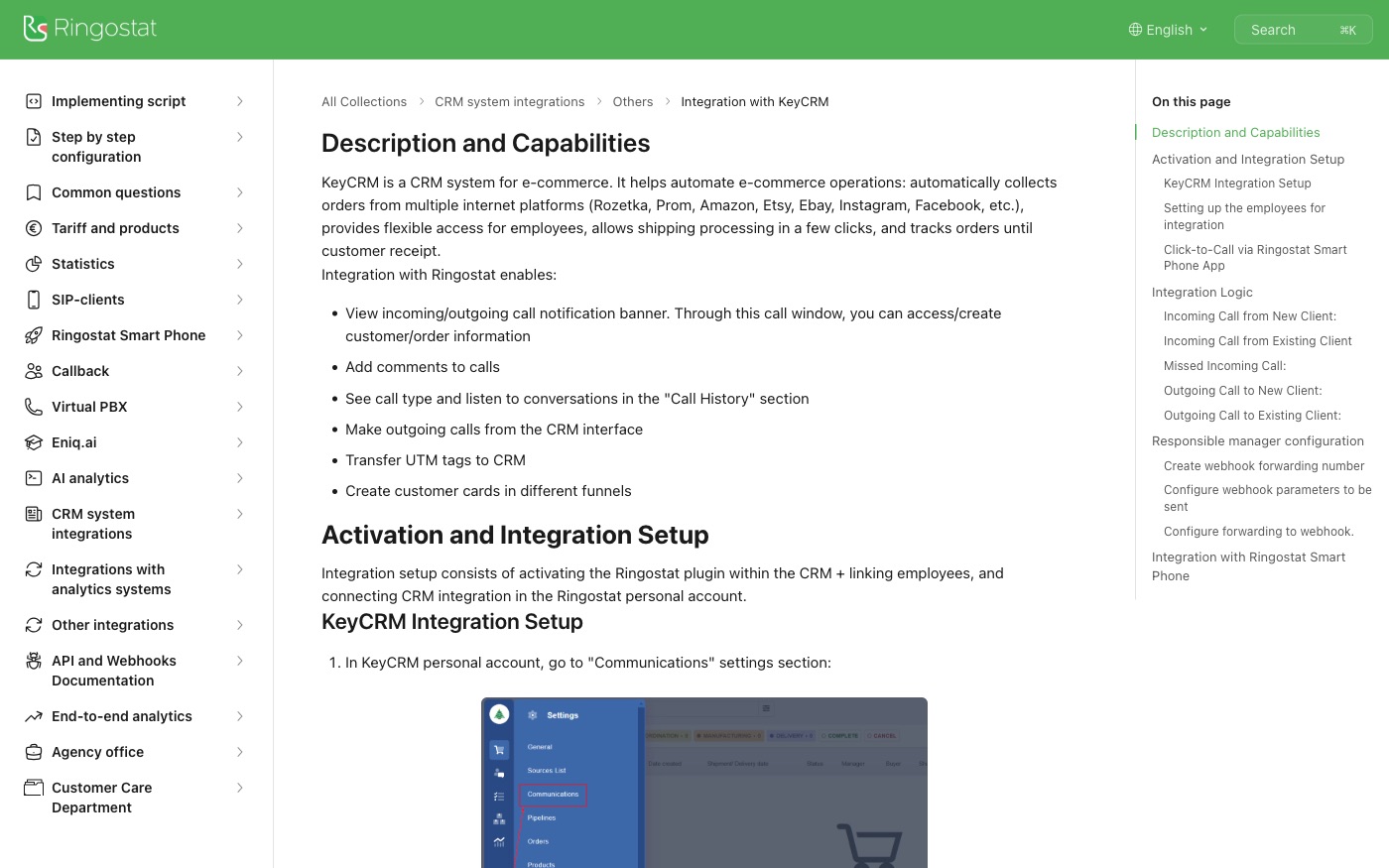
Source: help.ringostat.com ↗ checked 2026-09-25The CRM integration transmits the client's advertising source, call statistics, call recordings, and per-employee statistics.
Source: help.ringostat.com ↗ checked 2026-09-25Ringostat's call tracking sends every visitor call (manually dialled or through the Callback form) to Google Analytics 4 as an event.
Source: help.ringostat.com ↗ checked 2026-09-25A single webhook message to a CRM can carry no more than 40 parameters of a call event — for very custom tasks, an extra request is sometimes needed to fetch the rest of the data.
Three steps from a first message to work on your project.
Describe the task in the form — in text or by voice. Budget and timing are optional.
A developer studies the brief, asks about anything unclear and sends an estimate.
Once scope and price are agreed, the work begins.
or write to info@coreviaflow.space
Describe the task in text or a voice message. We look at your setup and reply with a plan.
Four services people come to us for most often. Each page explains what we do, how the work goes and where to start.
Choose the system, set up the pipeline, migrate data, train the team.
Learn more →Accounting, telephony, website, payments and messengers feed the CRM on their own.
Learn more →Orders, requests and answers around the clock, straight into your CRM.
Learn more →Flows between CRM, email, spreadsheets, payments and AI, on your own server.
Learn more → CRMUA
CRMUAUkrainian CRM that pulls orders from your site, marketplaces and chat apps into one pipeline
See scenarios → CRMEU
CRMEUThe deal-focused CRM: connect it once, and deals, contacts and follow-ups keep themselves in sync
See scenarios → CRMUS
CRMUSUS CRM with built-in calling and no-code automation, ready to plug into the tools you already run
See scenarios → CRMUS
CRMUSEnterprise CRM with a live event feed and no-code automation across every record type
See scenarios → CRMUS
CRMUSUS CRM with a dedicated bulk data channel and a step-by-step process enforcer, built to plug into your existing tools
See scenarios → IP telephonyUA
IP telephony with ready-made CRM links and one-click calling
See scenarios →Implementation · Development · Integrations →
Ringostat is a trademark of its owner. CoreviaFlow is not affiliated with it unless stated otherwise. Screenshots are taken from public vendor materials; the source is shown under each one.