CoreviaFlowCOREVIAFLOWDIGITAL PROJECT COMPANY Leave a request
EN UA RU
Automation & workspaceUS

Notion integration & automation

Deals from the CRM appear as pages in your Notion base, tasks ticked off in Notion move the deal forward, and the team's wiki stays where the team already is.

Teams that grew up in Notion do not want a second place to look: the project board, the onboarding checklist and the meeting notes are all there. The CRM, meanwhile, is where the client and the money are. The connection joins the two: a won deal opens a project page in Notion with the client's details already filled in, a checklist completed in Notion changes the deal stage in the CRM, and a note written after the call is attached to the client card. Each side keeps doing what it is good at.

What we connect

  • We look at your Notion workspace together: which bases matter (projects, clients, tasks, wiki), what properties each has, and which of them should mirror something in the CRM. Usually two or three bases take part, not the whole workspace.
  • The workspace owner creates an internal connection in Notion's settings and shares with it only the pages and bases we agreed on. Notion shows the connection in its settings, and anyone with owner rights can remove it at any time.
  • We map properties to CRM fields: the 'Client' relation to the company card, 'Status' to the deal stage, 'Owner' to the manager, 'Amount' to the deal amount. Properties that exist only in Notion stay untouched.
  • We decide what starts what: a deal reaching the 'won' stage creates a project page from your template; a page moved to 'done' in Notion closes the project in the CRM; a comment on the page is copied to the deal history.
  • Notion notifies the connection about changes on the shared pages as they happen, so a status changed in Notion reaches the CRM within seconds, without anyone pressing 'sync'.
  • We run the connection on a copy of the base first, check the pages it creates against your template, and only then point it at the live base. Your templates, views and formulas stay exactly as they were.

Automation scenarios

01

A won deal opens a project in Notion

Before the manager wins the deal, writes to the project lead in a messenger, and the project lead creates a Notion page by hand a day later, retyping the client's details.

After the moment the deal is marked won, a project page appears in the Notion base from your template, with the client, the amount, the deadline and the manager already filled in and the onboarding checklist attached.

02

A checklist in Notion moves the deal stage

Before the delivery team works in Notion, sales works in the CRM, and the sales lead asks in chat every week 'where are we with this client?'.

After when the delivery team ticks the last item of the checklist, the page status becomes 'delivered' and the deal in the CRM moves to the same stage on its own; the sales lead sees the pipeline without asking anyone.

03

Call notes land on the client card

Before the manager takes notes in a Notion page during the call, and a month later nobody in the CRM knows what was agreed.

After a note saved in the 'Calls' base with the client selected is copied to the client card in the CRM the same minute, with the date and the author, and the next manager who opens the card reads it before dialling.

04

The client list in Notion never goes stale

Before the 'Clients' base in Notion was exported from the CRM in spring and has not been touched since; half the contacts have changed.

After the CRM is the home of client data, and every new company or changed phone number is written into the Notion base within a minute, so the project pages always relate to a current client.

How it works technically

For those who want to check: each point links to the official documentation page it comes from.

  • Through Notion's own interface a connection can read, create and update nearly everything in a workspace — pages, databases, users and comments.

    Source: developers.notion.com ↗ checked 2026-09-28
  • A connection gets access only with the explicit permission of users, and only to the pages and databases that were shared with it — not to the whole workspace by default.

    Source: developers.notion.com ↗ checked 2026-09-28
  • Notion describes internal connections as the right tool for custom automations within one workspace — syncing data, sending notifications, building internal dashboards.

    Source: developers.notion.com ↗ checked 2026-09-28
  • Notion can notify a connection about events as they happen — a page updated, a property changed, a new comment — so the connection reacts to changes without constantly re-reading the workspace.

    Source: developers.notion.com ↗ checked 2026-09-28
  • A Notion database organises pages, and a data source defines the properties those pages share; in a table view a property is a column and a page is a row — which is exactly how we map it to CRM fields.

    Source: developers.notion.com ↗ checked 2026-09-28

Limits

Only a workspace owner can create the connection, and every page or base it should see must be shared with it by hand — a page that was not shared simply does not exist for the connection, which is the most common reason 'it does not sync'. Notion limits how many requests a connection may make per minute, and the limit depends on the workspace plan; there is also a shared limit for the whole workspace, so a request can be refused even when this connection is within its own allowance. Lists come back in pages of at most a hundred records, so a large base is read in portions rather than at once. A public connection listed on Notion's marketplace must pass Notion's security review; an internal connection for your own workspace does not need it.

Screenshots

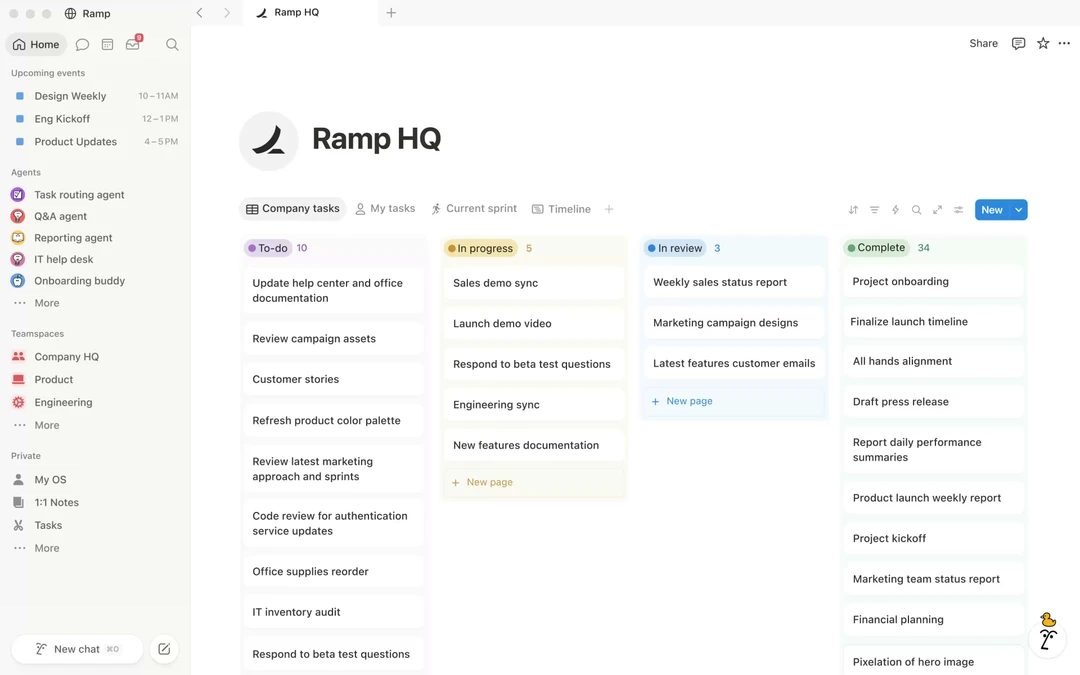
Notion workspace with a project board and sidebar
A project board in Notion: won deals from the CRM appear here as new project pages. Source: www.notion.com ↗
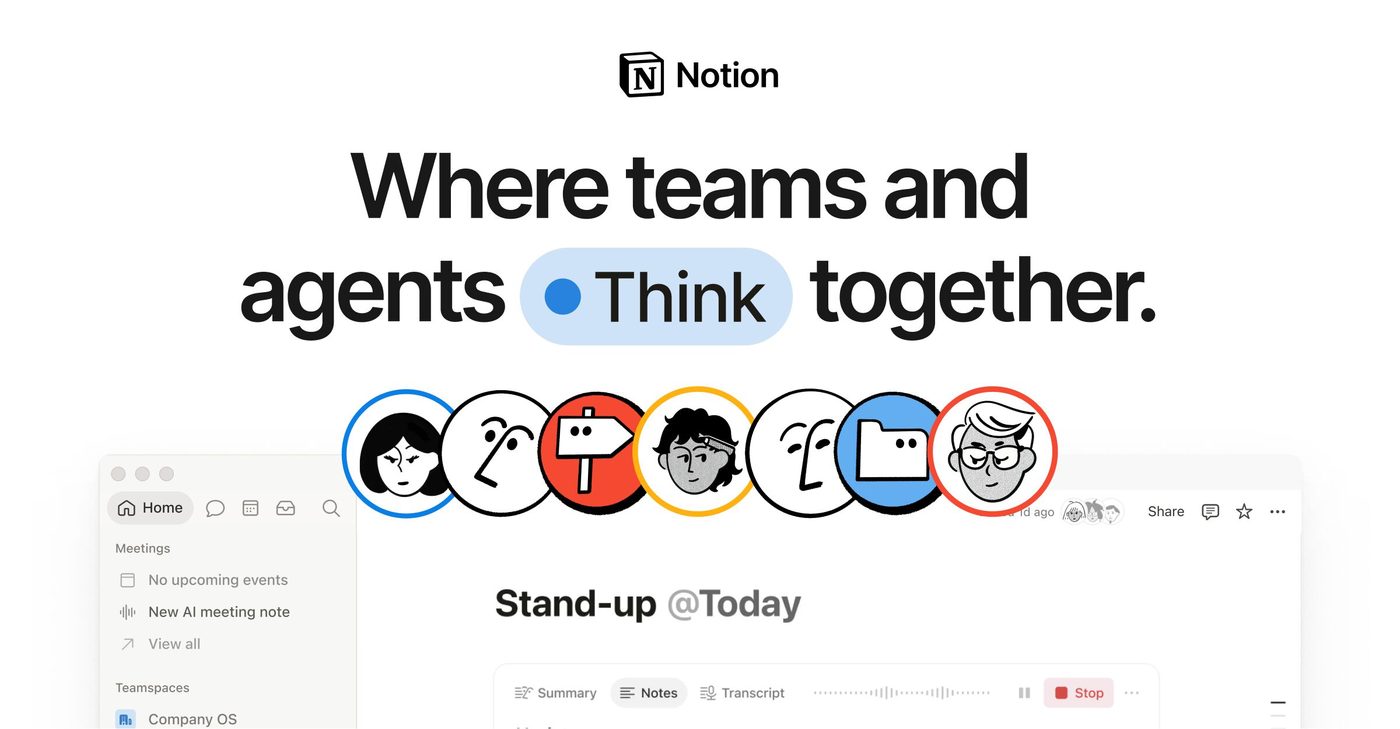
Notion pages for teams with meeting notes and tasks
Meeting notes and tasks in Notion: call notes go to the client card, checklist changes move the deal stage. Source: www.notion.com ↗

How to start

Three steps from a first message to work on your project.

  1. 01

    Leave a request

    Describe the task in the form — in text or by voice. Budget and timing are optional.

  2. 02

    We review and estimate

    A developer studies the brief, asks about anything unclear and sends an estimate.

  3. 03

    We start

    Once scope and price are agreed, the work begins.

or write to info@coreviaflow.space

Questions

Do we have to give the connection our whole Notion?
No, and you cannot by accident: Notion only lets the connection see the pages and bases you share with it one by one. The wiki, HR pages and personal notes stay invisible to it unless someone shares them on purpose.
We rebuild our Notion bases often. Will the connection survive that?
Adding views, formulas or new properties changes nothing. Renaming or deleting a property that is mapped to the CRM does break the link for that property, so we keep a short list of 'mapped properties' on the base page itself, and the connection reports in the CRM which property it could not find.
Which side is the source of truth — Notion or the CRM?
We decide it per field, not per system. Client and money data live in the CRM and are shown in Notion; project status and task progress live in Notion and are shown in the CRM. Each field has one home, so the two never argue.
Can Notion replace the CRM altogether?
For a small team it sometimes does, and then you do not need us. The connection makes sense when calls, invoices, messengers or ads already live in a CRM and the team wants to keep planning in Notion without copying things between the two.

Tell us what needs to be connected

Describe the task in text or a voice message. We look at your setup and reply with a plan.