CoreviaFlowCOREVIAFLOWDIGITAL PROJECT COMPANY Leave a request
EN UA RU
Automation & workspaceEU

Make integration & automation

Visual scenario builder: we build the links in your Make, plug in what it can't reach, and replace it with code when it gets crowded

Make is a visual builder of automation scenarios: you drag modules onto a canvas, connect them, and data flows between your CRM, forms, mail and spreadsheets. If Make is already part of your business, we build and tidy the scenarios in it, connect the services that have no ready module through the universal HTTP module and an address that receives events, and when the scenarios grow too big or the logic gets tangled, we move that part into our own code that runs without a per-operation limit.

What we connect

  • Your CRM: Pipedrive, HubSpot, KeyCRM or monday CRM, so a lead from a form or an ad lands in the right pipeline with the source filled in.
  • Payments and invoices: a paid Stripe invoice or a Xero document marks the deal and starts the next step.
  • Mailing services: Mailchimp or Brevo receive new contacts from the CRM, and replies come back as notes on the deal.
  • Services without a ready module: through the universal HTTP module in Make we talk to any system that has a documented interface, including Ukrainian ones.
  • Events from your own systems: Make gives a unique address that receives a signal from your site, warehouse or accounting software and starts the scenario at once.
  • Housekeeping: we review existing scenarios, merge the duplicates, add error handling so a failed run doesn't silently switch the scenario off.
  • Moving out of Make: when a scenario eats too many operations or the logic no longer fits on the canvas, we rewrite that part as our own service and leave the simple links in Make.

Automation scenarios

01

A lead from the site reaches the CRM in seconds, not on the next check

Before the scenario checks the form service on a schedule, so a request can wait a quarter of an hour and the manager calls late.

After the form sends a signal to the receiving address in Make, the scenario starts right away, a deal appears in the CRM and the manager gets a message while the client is still on the page.

02

A Ukrainian service without a module joins the scenario

Before the delivery service or the fiscal cash register has no ready module in Make, so the manager copies shipment numbers and receipts by hand.

After the universal HTTP module calls that service directly, creates the shipment and writes the tracking number back to the deal.

03

Operations stop running out mid-month

Before a scenario processes every row of a spreadsheet one by one, each row costs an operation, and the plan's allowance runs out before the month ends.

After the scenario collects rows into a batch and handles them in one pass, and the heaviest part moves into our own service, so Make keeps only the light links.

04

A scenario no longer switches itself off after one error

Before the mailing service was unavailable for a minute, the scenario hit an error and stopped, and nobody noticed for three days.

After error handling is built in, a failed run is retried later, the founder gets a message, and the scenario keeps working.


How it works technically

For those who want to check: each point links to the official documentation page it comes from.

  • Make describes itself as an automation platform that connects applications and services to automate workflows and tasks; a stock example is adding qualified prospects to the CRM.

    Source: help.make.com ↗ checked 2026-09-27
  • An operation is a single module run to process data or check for new data; each data bundle triggers its own run, so bundles on early modules multiply operations across the scenario.

    Source: help.make.com ↗ checked 2026-09-27
  • By default a scenario runs every 15 minutes; the schedule is customizable, and the minimum interval depends on the plan.

    Source: help.make.com ↗ checked 2026-09-27
  • Webhooks act as instant triggers: unlike scheduled triggers that periodically ask a service for new data, the scenario starts as soon as the webhook URL receives a request; custom webhooks accept any data.

    Source: help.make.com ↗ checked 2026-09-27
  • The built-in HTTP app connects Make to API services and applications that have no ready integration with Make.

    Source: apps.make.com ↗ checked 2026-09-27
  • The Make REST API lets HTTP requests access Make data and control the platform without its graphical interface, so scenarios can be run and managed from outside code.

    Source: developers.make.com ↗ checked 2026-09-27

Limits

The amount of work a scenario can do is capped by the plan: Make counts every module run as an operation (in billing they are called credits), and the monthly allowance depends on the subscription, so a scenario that handles rows one by one uses it up quickly. The shortest polling interval and the size of the queue that holds incoming events also depend on the plan. Instant start is available only for apps that send events; the others are checked on a schedule, so a new record may wait until the next check. A scenario with an instant start switches itself off after the first unhandled error, and only modules marked ACID can roll changes back, so error handling has to be designed in. The HTTP module accepts only secure connections, so the receiving side has to be set up properly. Make's own management interface for scenarios is largely reserved for paid plans.

Screenshots

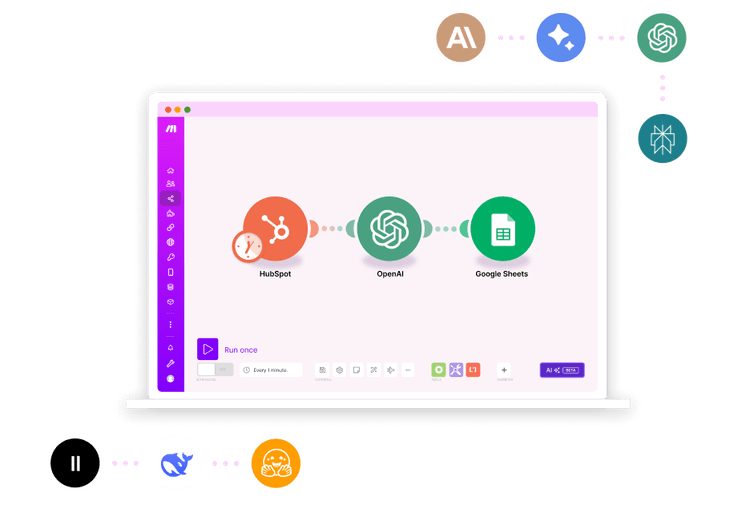
Make scenario canvas: three modules connected in a row, HubSpot passes data to OpenAI and then to Google Sheets, with a Run once button and a schedule below
A scenario on the Make canvas Source: www.make.com ↗
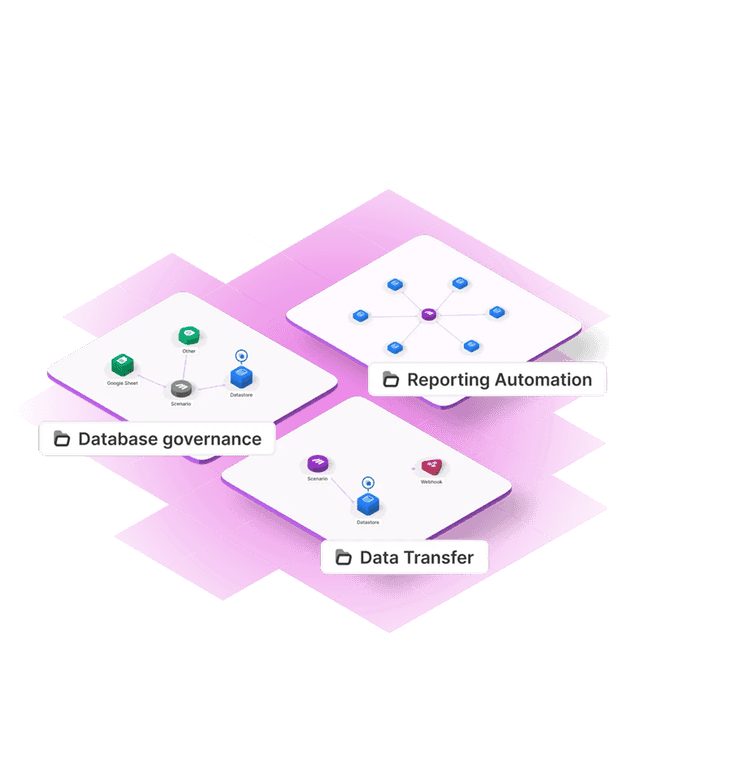
Scheme of three Make scenarios: database governance with Google Sheets and a data store, reporting automation with a hub of modules, data transfer through a webhook module and a data store
Typical scenario shapes Source: www.make.com ↗

How to start

Three steps from a first message to work on your project.

  1. 01

    Leave a request

    Describe the task in the form — in text or by voice. Budget and timing are optional.

  2. 02

    We review and estimate

    A developer studies the brief, asks about anything unclear and sends an estimate.

  3. 03

    We start

    Once scope and price are agreed, the work begins.

or write to info@coreviaflow.space

Questions

We already have scenarios in Make. Will you rebuild them from scratch?
No. We start by reviewing what already works: which scenarios run, how many operations they use and where they fail. Then we fix and extend them inside Make. Only the parts that have outgrown the canvas, because of volume or tangled logic, are moved into our own code.
Our service is not in the Make catalogue. Is that a dead end?
Usually not. If the service has a documented interface, the universal HTTP module in Make can talk to it, and Make can give the service a unique address to send its events to. That is how we connect Ukrainian delivery, cash register and accounting systems that have no ready module.
When is it better to leave Make and write our own code?
When operations run out every month, when a scenario needs to react faster than the polling interval allows, or when the logic has so many branches that nobody dares to touch it. In such cases we move that piece into our own service and keep the simple links in Make, so you don't lose what already works.
Who needs access to what?
You invite us into your Make organisation as a team member with rights to the scenarios we work on; connections to your CRM, payment and mailing services are created by you or under your account, so the keys stay with you. Sensitive data can be excluded from run logs with a scenario setting.

Tell us what needs to be connected

Describe the task in text or a voice message. We look at your setup and reply with a plan.