CoreviaFlowCOREVIAFLOWDIGITAL PROJECT COMPANY Leave a request
EN UA RU
CRMUS

Zendesk integration & automation

A support ticket in Zendesk opens with the client's deals already visible, a solved ticket lands in the client's history in the CRM, and sales knows about a complaint before the client calls them.

Zendesk is where support lives: tickets from email, chat, phone and social networks, agents, response rules. The CRM is where the client, the deal and the money live. Between them there is usually a gap — support does not see that the person writing is a client with an open renewal, and sales does not see that the client has three unsolved tickets. The connection closes that gap: a new ticket is matched to the client card by email or phone and shows the client's deals and manager to the agent; a solved ticket is written to the client's history in the CRM; a ticket marked as urgent or as a complaint is shown to the client's manager right away; and a deal won in the CRM can open a welcome ticket for onboarding. Agents keep working in Zendesk, managers keep working in the CRM, and both see the same client.

What we connect

  • We look at your Zendesk together: which channels bring tickets, which ticket fields, tags and priorities matter, how agents mark a complaint or an urgent case, and which of that should be visible in the CRM.
  • Your Zendesk administrator registers the connection in the Admin Center and grants it sign-in with explicit consent — Zendesk is moving all integrations to this way of signing in and is switching off the older password-like keys, so we build on the way that will keep working. An administrator's rights are needed for this step.
  • We agree how a ticket finds its client: by the requester's email first, then by phone, then by the organization name. Tickets from unknown people either create a new lead in the CRM or wait for the manager to link them — your choice.
  • We map the ticket to the client's history: the subject and the first message to the note, the agent to the author, the status and priority to the fields you want to see on the card, the link back to the ticket for the manager to open it in Zendesk with one click.
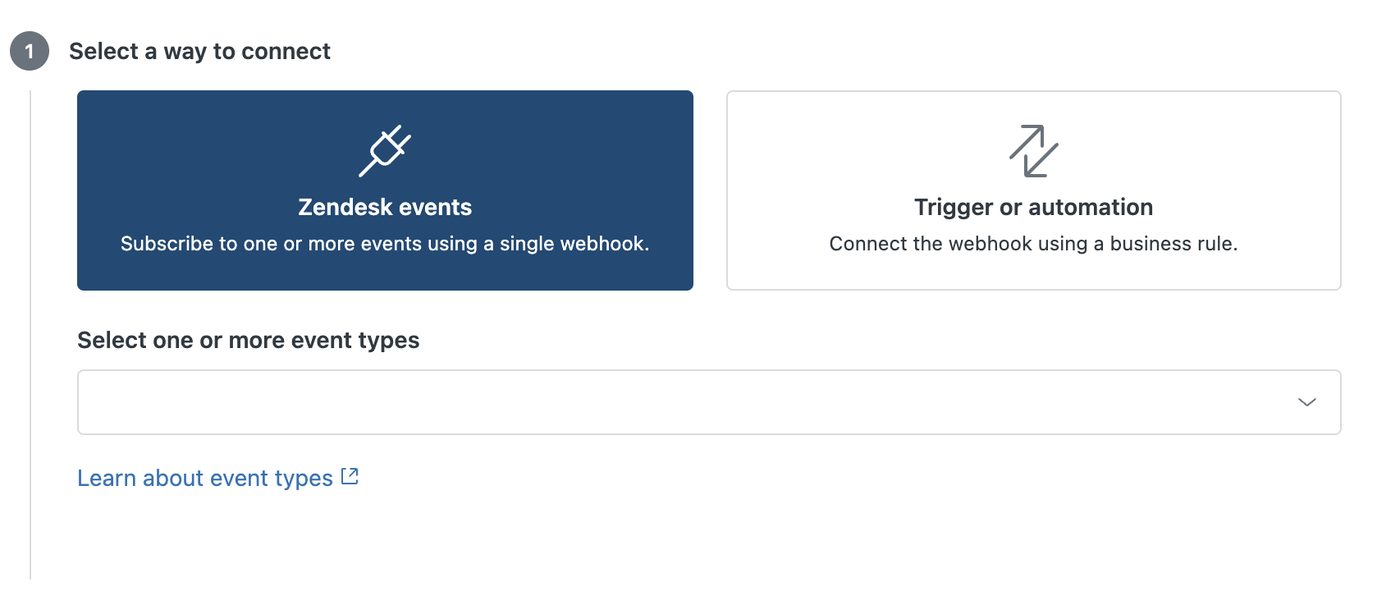
  • The administrator sets up notifications in the Admin Center: Zendesk itself sends a notice to the connection when a ticket is created, changes status or gets a chosen tag — through the same response rules your agents already use — so nothing has to be checked by hand.
  • We agree what goes the other way: whether a won deal opens a welcome ticket, whether a change of the client's manager in the CRM is written to the Zendesk organization, and whether the agent should see the deal stage in the ticket.
  • We run the connection on a trial Zendesk or on a test set of tickets first, check the notes it creates against your card, and only then switch it to the live account. Your agents' views, macros and response rules stay exactly as they were.

Automation scenarios

01

A ticket opens with the client's deals already visible

Before a client writes to support, the agent does not know who it is, answers as to a stranger, and only later learns from sales that this is a key account in the middle of a renewal.

After the ticket is matched to the client card by email, and the agent sees the client's manager, open deals and last order right in the ticket — and answers accordingly.

02

A solved ticket lands in the client's history

Before the manager calls the client to offer an upgrade without knowing the client spent last week arguing with support.

After every solved ticket is written to the client's history in the CRM with the subject, the outcome and a link, so the manager reads the last three tickets before picking up the phone.

03

A complaint is shown to the client's manager at once

Before the agent tags the ticket as a complaint, and sales finds out a week later when the client refuses to renew.

After the moment the tag is set, the client's manager gets a task in the CRM with a link to the ticket and calls the client the same day.

04

A won deal opens a welcome ticket

Before after the sale the manager writes to support in chat 'please onboard this client', and the request gets lost among other messages.

After the moment the deal is marked won, a ticket appears in Zendesk in the onboarding queue with the client's details and what was agreed; support starts without asking anyone.

How it works technically

For those who want to check: each point links to the official documentation page it comes from.

  • The Zendesk Support API (Ticketing API) works with tickets, users, organizations and business rules; tickets can come from email, Help Center, chat, phone, social networks or the API.

    Source: developer.zendesk.com ↗ checked 2026-09-28
  • Ticket creation supports an idempotency key, so a retried request does not create a duplicate ticket.

    Source: developer.zendesk.com ↗ checked 2026-09-28
  • Webhooks send an HTTP request to a chosen URL when something happens in Zendesk Support — for example, when a ticket is created; failed requests are retried and a circuit breaker protects broken endpoints.

    Source: developer.zendesk.com ↗ checked 2026-09-28
  • Ticket triggers run actions when a ticket is created or updated and their conditions are met; all triggers are checked in order on every ticket change.

    Source: developer.zendesk.com ↗ checked 2026-09-28
  • Only verified users can make API requests; Zendesk supports OAuth access tokens and requires TLS 1.2 for all connections.

    Source: developer.zendesk.com ↗ checked 2026-09-28
  • Zendesk is retiring API tokens: from July 28, 2026 tokens unused for 30 days are deleted, and by April 30, 2027 all API tokens stop working — integrations must move to OAuth.

    Source: support.zendesk.com ↗ checked 2026-09-28

Limits

Zendesk limits how often it can be asked: the number of requests per minute depends on your plan, and when it is exceeded Zendesk answers with error 429 and names how many seconds to wait; a higher limit is available as a separate add-on. One agent may update the same ticket no more than 30 times in 10 minutes, and no more than 30 bulk jobs may be queued or running at once, so mass changes go in portions. Notifications from Zendesk are set up only by an administrator or an agent with a custom role that allows it; they are delivered as close to real time as possible but sometimes with a delay, are retried up to three times if our side does not answer, are not guaranteed to arrive in order, and the message Zendesk sends cannot exceed 16,000 characters. Zendesk itself warns not to update tickets straight from a notification, because that causes conflicts and rate-limit errors — so writes back to Zendesk go through a queue. Trial accounts are limited to 10 notification hooks and 60 calls per minute. The older password-like API tokens are being switched off: tokens unused for 30 days are deleted from July 28, 2026, and all of them stop working by April 30, 2027 — so we build the connection on sign-in with explicit consent from the start, which needs an administrator to register it.

Screenshots

Zendesk Admin Center: choosing how the connection sends events — by event type or through a business rule
The screen in Zendesk where the connection to the CRM is set up: Zendesk sends a notification whenever a ticket is created or updated. Source: support.zendesk.com ↗
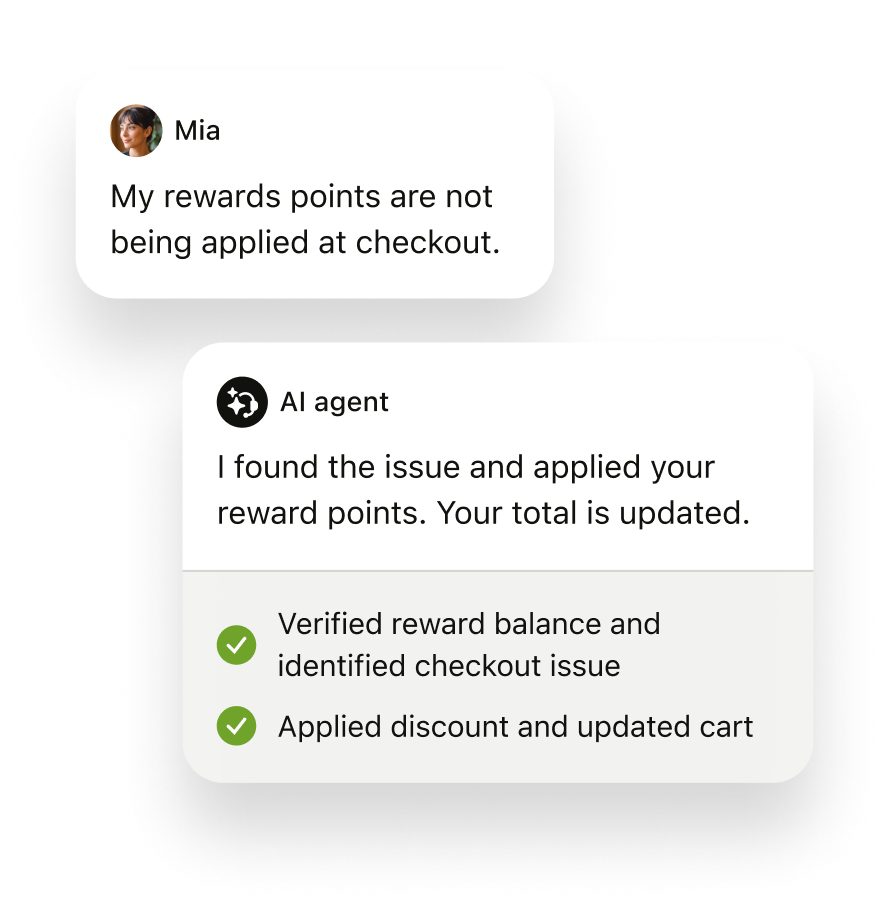
Zendesk conversation: a customer's message about reward points answered by an AI agent with completed steps
A customer conversation in Zendesk — the ticket, the reply and the steps taken all land in the client's history in the CRM. Source: www.zendesk.com ↗

How to start

Three steps from a first message to work on your project.

  1. 01

    Leave a request

    Describe the task in the form — in text or by voice. Budget and timing are optional.

  2. 02

    We review and estimate

    A developer studies the brief, asks about anything unclear and sends an estimate.

  3. 03

    We start

    Once scope and price are agreed, the work begins.

or write to info@coreviaflow.space

Questions

Do our agents have to start working in the CRM?
No. Agents stay in Zendesk with their views, macros and response rules; the connection only shows them the client's deals and manager inside the ticket and writes the outcome back to the client's history. Sales keeps working in the CRM and sees tickets there.
What if the person writing to support is not in the CRM yet?
You choose. Either the connection creates a new lead in the CRM from the ticket — name, email, phone, the subject — or the ticket waits in a 'not linked' list until a manager links it to the right card or decides it is not a client. Most teams start with the second option and switch to the first once the matching rules are trusted.
We already connect Zendesk with an old key. Will it keep working?
Not for long. Zendesk has announced that its password-like keys are being retired: keys unused for 30 days are deleted from July 28, 2026, and all of them stop working by April 30, 2027. We build new connections on sign-in with explicit consent from the start, and if you have an old connection, we help move it before that date.
Which side is the source of truth — Zendesk or the CRM?
We decide it per field. The client, the deal, the manager and the money live in the CRM and are shown in Zendesk; the ticket, its status, the agent and the conversation live in Zendesk and are shown in the CRM. Each field has one home, so the two never argue — and writes back to Zendesk go through a queue, exactly as Zendesk itself recommends.

Tell us what needs to be connected

Describe the task in text or a voice message. We look at your setup and reply with a plan.