CoreviaFlowCOREVIAFLOWDIGITAL PROJECT COMPANY Leave a request
EN UA RU
Marketing & EmailUS

LinkedIn integration & automation

A form submitted on LinkedIn becomes a lead in the CRM the moment it is sent — with the person's job title and company already filled in and a manager assigned.

LinkedIn Lead Gen Forms are the ads with a form inside: a person taps, LinkedIn fills in the name, work email, job title and company from their profile, and the request lands in the ad account. That is where it usually waits — someone exports a spreadsheet at the end of the week and writes to people who asked days ago. We connect your LinkedIn ad account to the CRM so that every submitted form becomes a lead the moment it is sent, goes to the right manager, and carries the campaign it came from, so you can later see which ads brought actual deals.

What we connect

  • We start from your LinkedIn ad account and company page: which campaigns run Lead Gen Forms, which forms are live, and which employee has the right role in the ad account or on the company page. LinkedIn hands out leads only on behalf of such an employee, so this person is chosen first.
  • The employee with the right role signs in to LinkedIn and allows the connection to read leads from the ad account and the company page. Access is tied to this person's role: if the role is taken away, LinkedIn stops handing out leads.
  • We apply to LinkedIn for access to leads. This is a separate programme with its own approval — even an application that already works with the advertising side has to apply again. The decision and its timing are on LinkedIn's side; while we wait, the mapping and the rules below are prepared.
  • We map the form fields to CRM fields. A form can hold up to 12 fields — name, work email, phone, job title, company name and size — and the hidden fields you add yourself: source, campaign, responsible manager. They travel with the lead, so the source is marked automatically and nobody types it in by hand.
  • We set up delivery: LinkedIn itself sends a notice about each new lead the moment the form is sent. For that we register a receiving address in LinkedIn, and LinkedIn checks it before it starts sending. Each notice carries the answers to every question in the form and the exact time it was sent. Leads from an event page, the company page or a product page arrive by the same route and are marked by type.
  • Before the ads go live we send test leads from LinkedIn and check that each one appears in the CRM with the right fields and owner. We also agree the rules for a new lead: who gets it, which pipeline stage it starts in, and how the manager is notified. Any message to a real person goes out only after you have approved its text.

Automation scenarios

01

The manager writes back while the person is still on LinkedIn

Before a form submitted on Tuesday waits in the ad account until someone exports the spreadsheet at the end of the week; by then the person has forgotten what they asked.

After LinkedIn sends the notice the moment the form is sent, the lead appears in the CRM with the job title and company already filled in, the manager on duty gets a notification and writes back the same day.

02

The manager sees the job title and company before the first call

Before a lead is a name and a phone number, and the manager searches the web to work out who is calling whom.

After the form takes the job title, company name and company size from the LinkedIn profile, so the card in the CRM already shows who this person is, what they answered in the form and when; the CRM routes a lead from a large company to a senior manager by the rule you set.

03

Registrations for your event come in through the same door

Before people who signed up on the event page or the company page are checked by hand and copied into the CRM after the event, when half of them are no longer interested.

After leads from the event page, the company page and the product page arrive by the same route as leads from ads, each marked by type, and the CRM starts the event follow-up for them the day they sign up.

04

You see which campaign brought the deal

Before the ad account shows how many forms each campaign collected, the CRM shows which deals closed, and nobody can join the two.

After the hidden fields — source, campaign, responsible manager — travel into the CRM with every lead; the deal report is grouped by campaign, and the campaign that brings forms but no deals is paused with the numbers in hand.


How it works technically

For those who want to check: each point links to the official documentation page it comes from.

  • Lead Gen Forms are request forms inside LinkedIn: the advertiser collects contacts of LinkedIn members without sending them to a website.

    Source: learn.microsoft.com ↗ checked 2026-09-28
  • The form fills in the member's profile data automatically, so the contacts arrive accurate and the form is completed in a couple of taps.

    Source: www.linkedin.com ↗ checked 2026-09-28
  • Leads come not only from ads: leads from an event page, a company page and a product page are collected into the CRM by the same route and are distinguished by lead type.

    Source: learn.microsoft.com ↗ checked 2026-09-28
  • LinkedIn itself reports a new lead: the connection registers a receiving address, and notices about new leads arrive right after the form is submitted.

    Source: learn.microsoft.com ↗ checked 2026-09-28
  • A form can include up to 12 fields from the categories contact, work, company, education and demographics — work email, phone, job title, company name and size.

    Source: www.linkedin.com ↗ checked 2026-09-28
  • Hidden form fields — source, campaign, responsible manager — go to the CRM together with the lead, so the lead source is marked automatically.

    Source: www.linkedin.com ↗ checked 2026-09-28

Limits

Access to leads is a separate LinkedIn programme: even when an application already works with the advertising side, access to leads has to be applied for separately and approved by LinkedIn — the decision and its timing are LinkedIn's, and until it is through the connection cannot read real leads. Leads are read only on behalf of an employee with the right role in the ad account or on the company page; without the role LinkedIn refuses. LinkedIn releases a new version of its interface every month and supports each one for at least a year, and every request must name its version explicitly — so the connection is pinned to a version and has to be moved to a newer one regularly, otherwise it stops working; we keep this up as part of the connection. The number of requests per day is limited and depends on the section; LinkedIn does not publish the exact figures, they are visible only in the developer console. From 16 March 2026 notices about new leads are sent only to verified receiving addresses: LinkedIn re-checks the address about every two hours, and it must be reachable from outside without a password. Data from LinkedIn cannot be stockpiled: it may be kept only while it is needed for the service to work, and everything collected about a member is deleted at their request; if a member withdraws their submission, LinkedIn sends a notice and the CRM marks the lead as deleted.

Screenshots

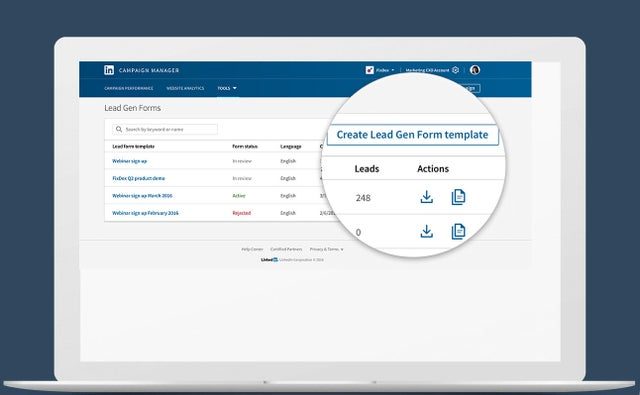
LinkedIn Lead Gen Forms: template editor in Campaign Manager
Lead Gen Forms are created in Campaign Manager; each submitted form becomes a lead that the CRM can pull in. Source: business.linkedin.com ↗
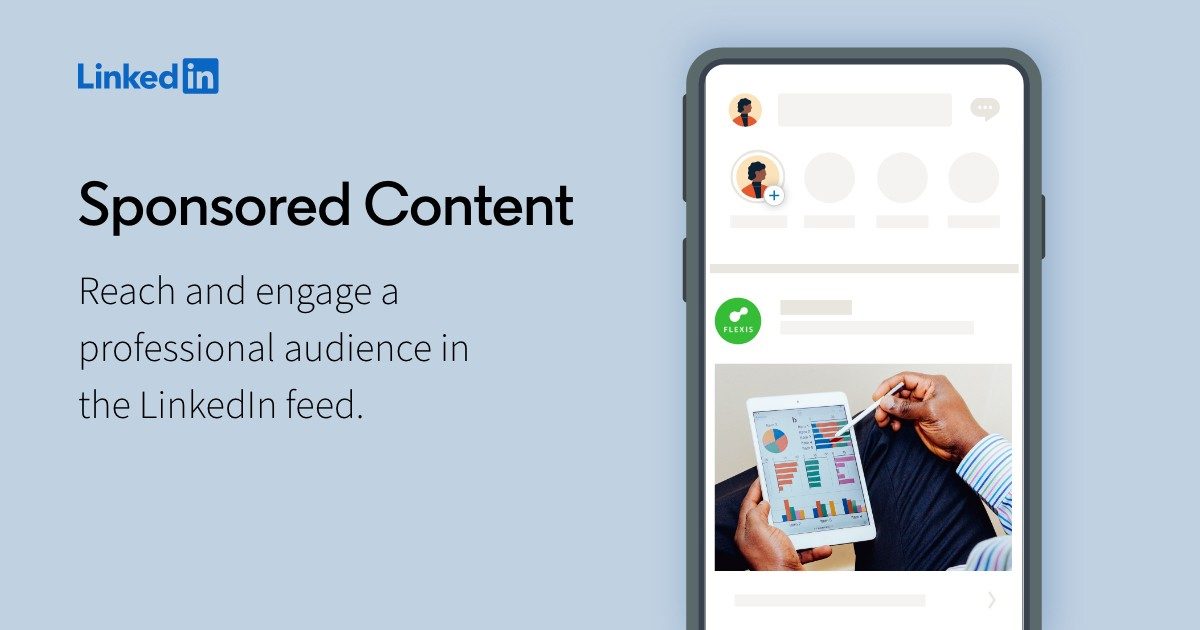
LinkedIn Sponsored Content in the feed on a phone
Sponsored Content with an attached Lead Gen Form: the visitor fills in a pre-populated form without leaving LinkedIn. Source: business.linkedin.com ↗

How to start

Three steps from a first message to work on your project.

  1. 01

    Leave a request

    Describe the task in the form — in text or by voice. Budget and timing are optional.

  2. 02

    We review and estimate

    A developer studies the brief, asks about anything unclear and sends an estimate.

  3. 03

    We start

    Once scope and price are agreed, the work begins.

or write to info@coreviaflow.space

Questions

How long does LinkedIn's approval take, and can we start before it?
The approval is given by LinkedIn, and we cannot promise how long it takes — access to leads is a separate programme with its own application. Until it is through, we prepare everything that does not need real leads: field mapping, owners, pipeline stages and notification rules. Once access is granted we send test leads from LinkedIn, check they land correctly, and only then let the ads run.
We collect sign-ups on an event page, not through ads. Will those come to the CRM too?
Yes. LinkedIn hands out leads from an event page, the company page and a product page by the same route as leads from ads, and marks each with its type. In the CRM you see where the person came from and can set different rules for event sign-ups and for ad leads.
Will the connection stop working when LinkedIn changes something?
LinkedIn releases a new version of its interface every month and supports each for at least a year, and every request must say which version it uses. The connection is pinned to a version, and moving it to a newer one before the old one expires is part of keeping the connection alive — you do not need to do anything on your side.
What happens to a person's data if they ask LinkedIn to delete it?
LinkedIn's rules say data received from it may be kept only while it is needed for the service to work, and everything collected about a member must be deleted at their request. If a member withdraws their submission, LinkedIn sends a notice and the CRM marks the lead as deleted. Your own notes and deals stay in the CRM; the data that came from LinkedIn is removed.

Tell us what needs to be connected

Describe the task in text or a voice message. We look at your setup and reply with a plan.