CoreviaFlowCOREVIAFLOWDIGITAL PROJECT COMPANY Leave a request
EN UA RU
Marketing & EmailUS

Google Ads integration & automation

A deal closed in your CRM comes back to Google Ads as a conversion, and the ad account learns from real sales, not from form submissions

Google Ads knows who clicked your ad and filled in the form. It does not know that this lead was spam, that one bought a week later by phone, and the third became your biggest client. We connect Google Ads to your CRM so the two talk both ways: closed deals go back to Google Ads as conversions with the click they came from, customer lists from the CRM turn into audiences for targeting, and campaign reports land in your own spreadsheet or dashboard next to your sales numbers. The account then optimises for what actually earns money, and your marketer stops guessing which campaign brought the clients.

What we connect

  • Access to your Google Ads account goes through a Google Cloud project: the Google Ads connection is switched on in it, and the project gets its own access level from Google. A fresh project can only work with test accounts, so we apply for the working level in advance.
  • You grant our connection access to your Google Ads account as a user, in your own name and under your control; nothing is done on our account, and the access can be withdrawn at any time.
  • Auto-tagging is switched on in Google Ads, and the site saves the click identifier from the ad link into the request form; the CRM keeps it in the lead card so the sale can later be matched to the click.
  • We agree which CRM statuses count as conversions — qualified lead, deal won, payment received — and create matching conversion actions in Google Ads. Each status can carry its own value so the account sees the difference between a small and a large deal.
  • Conversions are uploaded through Google's data upload service on a schedule, for example every few hours: the CRM hands over the click identifier, the conversion name, the time and the value. Where the click is missing, the upload can use the client's email or phone from the form in a protected form.
  • For audiences we prepare customer lists from the CRM — current clients, lost deals, a segment worth returning — and load them into Google Ads through the same data upload service, with contact data protected before it leaves your system.
  • Campaign reports are read on a schedule and written to a spreadsheet, a dashboard or the CRM, so spend and results sit next to real deals.

Automation scenarios

01

A deal is won in the CRM

Before Google Ads counts every form as a success, and the account pours budget into the campaign with the cheapest requests, most of which never buy.

After when the manager marks the deal as won, the CRM sends the conversion to Google Ads with the click it came from, and the account starts optimising for campaigns that bring buyers.

02

The client calls instead of filling the form

Before the visitor came from an ad, called, ordered — and Google Ads sees nothing, because there was no form.

After the manager creates the deal in the CRM, the connection matches it with the visit by the saved click identifier or by the client's contact data, and the sale is reported to Google Ads as an offline conversion.

03

Current clients see no more ads for what they already bought

Before the ad chases people who signed a contract last month, and the budget goes to those who no longer need convincing.

After the CRM list of current clients is loaded into Google Ads as an audience and excluded from acquisition campaigns, while a separate list of lost deals gets its own return campaign.

04

Monday report without copy-paste

Before the marketer exports campaign numbers from Google Ads, the sales lead exports deals from the CRM, and someone merges the two spreadsheets by hand.

After the connection reads the campaign report and the CRM deals on a schedule and fills one dashboard where spend, requests and closed deals stand in the same row.

How it works technically

For those who want to check: each point links to the official documentation page it comes from.

  • Google Ads API is the programmatic interface to Google Ads, used for managing large or complex accounts and campaigns; typical uses include automated account management, custom reporting and ad management based on inventory.

    Source: developers.google.com ↗ checked 2026-09-28
  • From 9 September 2026 a developer token is no longer required: the API access level is tied to the Google Cloud project, with levels Test, Explorer, Basic and Standard.

    Source: developers.google.com ↗ checked 2026-09-28
  • Offline conversion import lets you report sales that happened outside the site — in the office or by phone — to Google Ads; it requires auto-tagging and a saved GCLID from the ad click.

    Source: support.google.com ↗ checked 2026-09-28
  • From 15 June 2026 offline conversion import and enhanced conversions for leads move to the Data Manager API; uploads through the Google Ads API are blocked.

    Source: support.google.com ↗ checked 2026-09-28
  • Customer Match uses online and offline customer data, including CRM lists, to reach and re-engage customers across Google services; new integrations are recommended through Data Manager / Data Manager API.

    Source: support.google.com ↗ checked 2026-09-28
  • Performance reports are part of the API: data can be pulled for any resource, from a whole campaign down to a keyword set.

    Source: developers.google.com ↗ checked 2026-09-28

Limits

A new Google Cloud project only gets test access to Google Ads and can work with test accounts; the working level has to be requested from Google and approved, so this step is planned before the launch. Google is moving the upload of offline conversions and customer lists into its separate data upload service, and the old path is being closed — the connection is built on the new one, which changes little for you but matters for the timeline. Audience lists from the CRM are available only to accounts with a good history of policy and payment compliance, and a fresh account may not get them right away. Conversions are matched to clicks only if the site saved the click identifier into the form; for deals without it, matching by contact data is an option, but not a certainty. Requests to Google Ads are limited by frequency and by the daily number of changes, so uploads and reports run on a schedule rather than instantly.

Screenshots

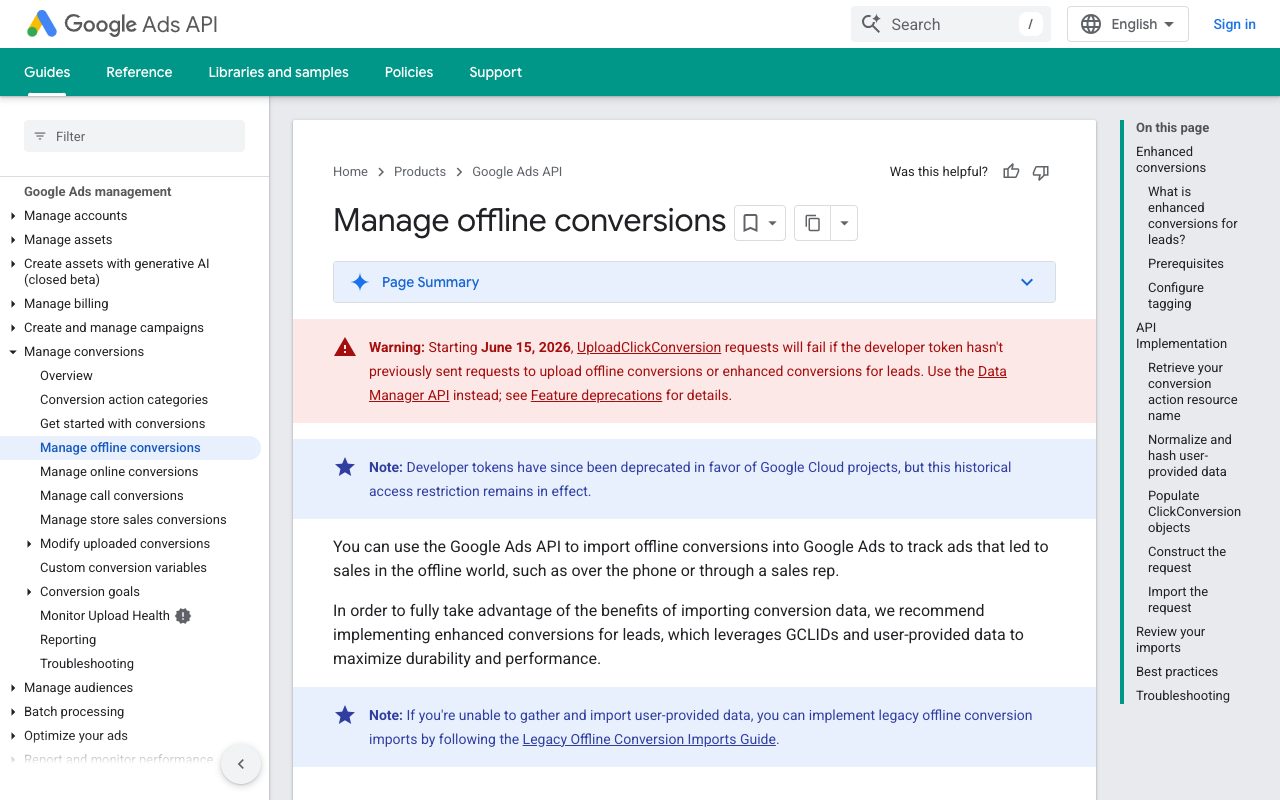
Google Ads documentation: managing offline conversions
The page of the Google Ads documentation about offline conversions: this is how a deal closed by phone or by a manager gets back to the ad that brought the customer. Source: developers.google.com ↗
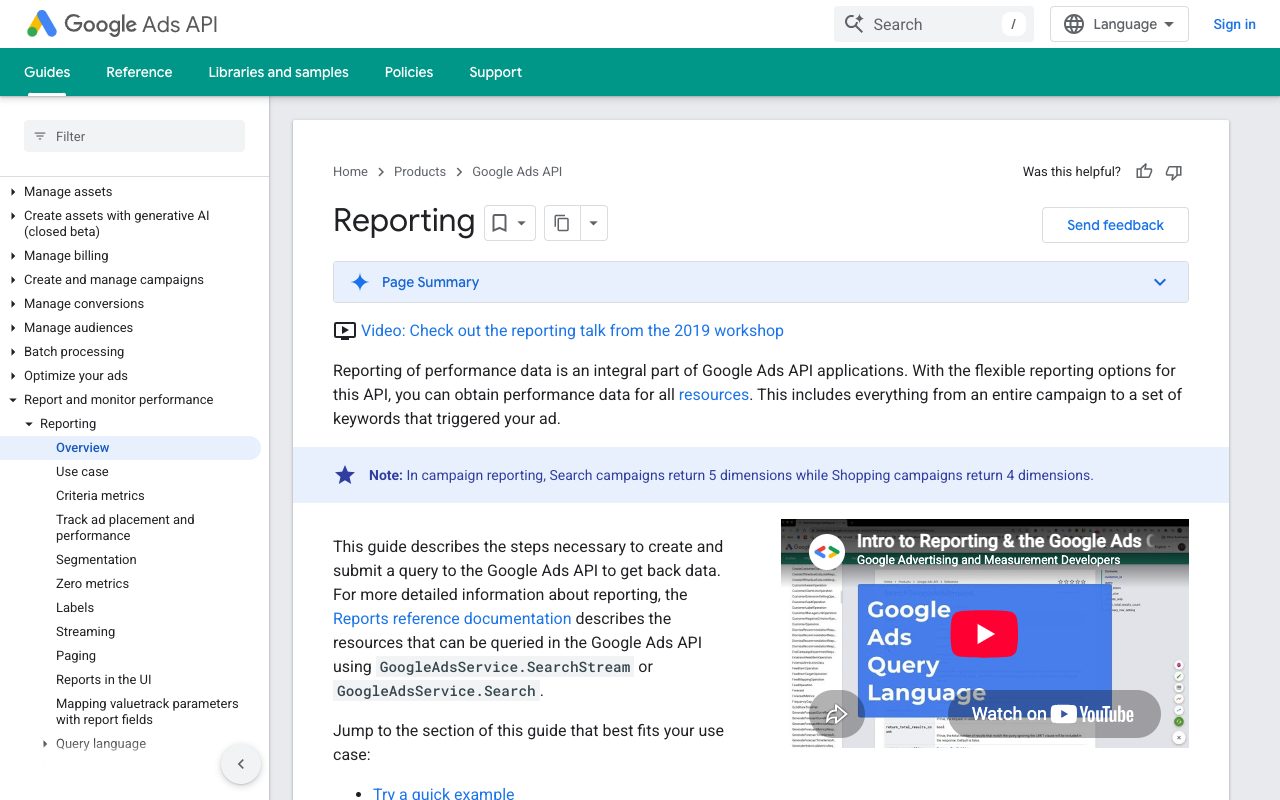
Google Ads documentation: reporting on campaign performance
The reporting section of the Google Ads documentation: campaign and keyword figures can be requested by a program and placed into the client's own report next to CRM deals. Source: developers.google.com ↗

How to start

Three steps from a first message to work on your project.

  1. 01

    Leave a request

    Describe the task in the form — in text or by voice. Budget and timing are optional.

  2. 02

    We review and estimate

    A developer studies the brief, asks about anything unclear and sends an estimate.

  3. 03

    We start

    Once scope and price are agreed, the work begins.

or write to info@coreviaflow.space

Questions

What does the connection need from our side?
Administrator access to your Google Ads account, a Google Cloud project (we can create it in your name), and the CRM where deals live. Plus a small change on the site so the request form keeps the click identifier from the ad.
What if the client came by phone and there is no click identifier?
Google allows matching a conversion by the client's contact data — email or phone — passed in a protected form. It works when the same contact was left on the site earlier. If there was no contact at all, the conversion cannot be tied to the ad, and we say so honestly.
Will our client data leave the CRM?
For audiences Google requires contact data to be protected before upload, and we do that inside the connection: Google receives an unreadable form of the email or phone, matches it with its own users and never returns the list. You decide which segments go up and can remove a list at any time.
Can Google Ads see the deal value, not just the fact of a sale?
Yes. Each uploaded conversion can carry a value and a currency from the CRM, and the account can optimise for value rather than for the number of conversions. Which deals pass their value and which pass a fixed one is agreed with you.

Tell us what needs to be connected

Describe the task in text or a voice message. We look at your setup and reply with a plan.